Working from home requires more than balancing a laptop on a dining table or tucking a small writing desk into the corner of a bedroom. Modern households rely on dependable hardware, multiple displays, network equipment, and shared family devices that demand a thoughtfully planned physical footprint. When you remodel a space with technology in mind, you create an environment that minimizes clutter and supports smooth daily routines.
Building a dedicated tech station allows you to blend serious digital infrastructure into your home decor without letting black cables and bulky plastic boxes take over the room. Whether you are claiming a small nook under the stairs or revamping a full home office, focusing on smart electrical routing, solid ventilation, and durable cabinetry makes all the difference.
Choosing the Right Location for Your Tech Station
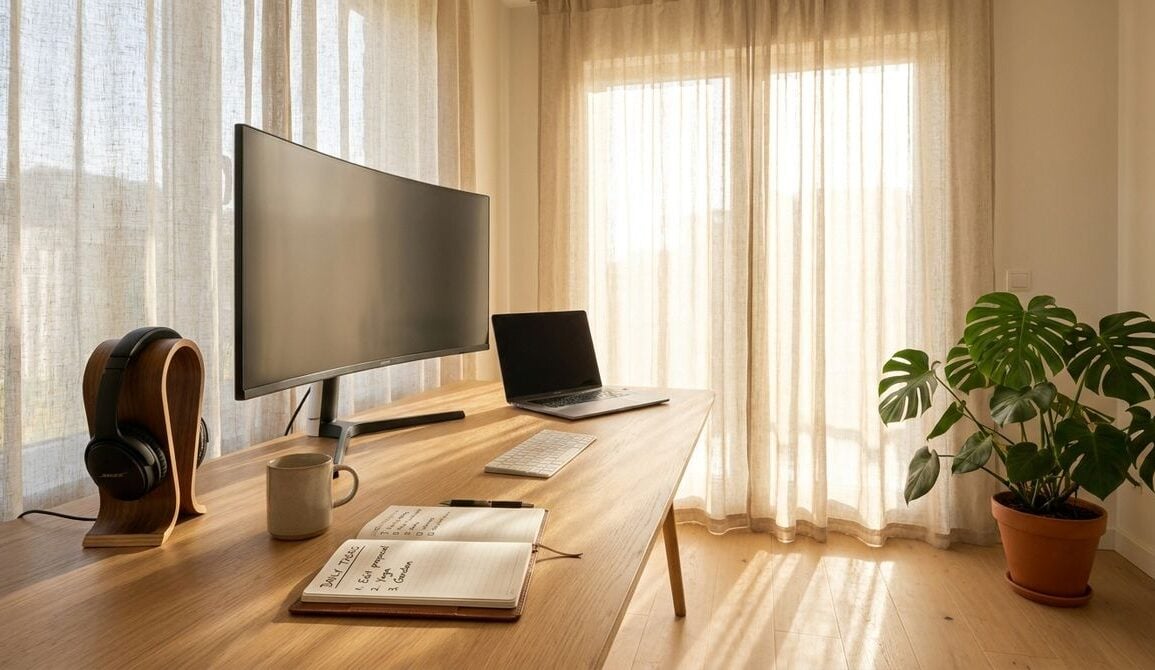
Every successful home remodel starts with identifying the right spot for the job. A tech station does not necessarily require an entire room of its own, but it does need a location with adequate breathing room, moderate foot traffic, and easy access to natural light without intense afternoon sun. Placing a workstation directly across from an unshaded south-facing window can cause severe screen reflections that tire your eyes throughout the day.
Consider repurposing an unused closet, an open alcove beside a fireplace, or a wide hallway landing. These recessed architectural areas keep the work surface slightly out of main sightlines while keeping primary household paths clear. You also want to make sure the space stays comfortably temperate, as hardware components generate ambient heat that can become unpleasant in an enclosed, unventilated closet.
Planning Electrical Outlets and Wire Concealment
A tech station quickly falls apart visually if you have to rely on tangled power strips and visible extension cords running across the baseboards. During the rough-in stage of your remodel, prioritize electrical upgrades that place power and data ports precisely where you need them. Installing quad outlets both above and below the desktop ensures you have plenty of receptacles for desktop towers, monitors, desk lamps, and mobile chargers.
Incorporating in-wall cable conduits or flexible grommet channels lets you pass display and power lines directly through the wall or desk surface without exposing them. If you run a custom desktop computer, managing cables and airflow is essential for reliable operation. For helpful advice on system assembly, cable routing, and hardware troubleshooting, turning to technical platforms like Free-pc-guides.com can give you the background you need to plan your cabinet airflow and device clearance accurately.
Adding a dedicated circuit breaker for your office area can also prevent unexpected trips when multiple high-draw devices kick on at once. Recessed power boxes with built-in surge suppression provide additional peace of mind for valuable computing hardware without sticking out past the drywall surface.
Designing Built-In Storage for Hardware and Peripherals
Standard office desks rarely account for the physical dimensions and operational needs of peripheral gear. When designing custom cabinetry or selecting modular storage, plan dedicated pull-out trays and ventilated compartments for items you use frequently but do not want cluttering your primary desktop surface.
Printers, document scanners, and external backup drives benefit greatly from deep roll-out shelves equipped with heavy-duty drawer slides. These heavy units need room to open, reload paper, and cycle through print jobs without wobbling the main work surface. Before building or ordering custom cabinetry, consulting comprehensive guides on equipment dimensions and device features at 10printers can help you choose the right shelf depths and electrical layouts for your specific model.
Ensure that any cabinet holding running machinery includes discreet ventilation slots or low-voltage whisper fans. Trapped heat degrades electronic parts over time and can cause performance throttling. Adding a rear cutout in cabinet shelves also allows you to route USB and power cables directly to hidden outlets inside the cabinetry.
Creating an Ergonomic Work Surface and Acoustic Balance
The physical surface of your workstation should balance durability with ergonomic comfort. Solid hardwood, butcher block, or high-pressure laminate with a matte finish prevents harsh reflections from overhead task lights. Choosing a desk height that allows your forearms to rest parallel to the floor helps maintain good posture during long projects.
Sound management is another vital element of a peaceful work area, especially in an open-concept home. Adding soft acoustic wall panels, thick fabric window drapery, or a cork pinboard behind your screen absorbs stray echoes from keyboards and video calls. If your household also creates multimedia content, our guide on remodeling a quiet home studio offers helpful techniques for dampening sound reflections and isolating ambient room noise.

Combining localized sound absorption with dimmable, warm-white task lighting creates an inviting atmosphere that keeps you focused without straining your senses. Avoid harsh overhead spotlights positioned directly behind your seating area, as they cast annoying shadows across your keyboard and notebook.
Practical Steps for a Smooth Workstation Remodel
Before tearing into drywall or ordering prefabricated desk units, walking through a structured planning sequence prevents costly adjustments later. Taking time to map out both physical objects and digital connections keeps the project on track.
- Measure your largest hardware components, including screen widths and paper trays, before finalizing cabinet dimensions.
- Install in-wall conduit tubes behind your desk to pull future video and network cables without damaging finished walls.
- Position task lighting slightly to the side or above your monitor to eliminate screen glare and reduce eye fatigue.
- Incorporate dedicated drawer organizers for small accessories, charging cables, adapters, and backup drives.
- Verify that enclosed cabinet sections have adequate air intake and exhaust openings to prevent heat buildup.
Taking these physical requirements into account early saves you from having to drill awkward holes into freshly painted cabinets or rearrange furniture because an outlet is blocked.
Maintaining a Clean and Flexible Setup Over Time
Technology changes quickly, but a well-constructed remodel should serve your household for a long time. Opt for modular shelving components and adjustable desk brackets so you can alter the physical setup as your equipment needs evolve. Removable cable ties, underside wire baskets, and magnetic raceways make swapping out hardware painless whenever an upgrade is necessary.
By marrying intentional architecture with smart storage solutions, your tech station becomes a natural, handsome part of your home. You gain a functional, peaceful workspace that supports daily productivity while keeping your living spaces free from visual clutter.